

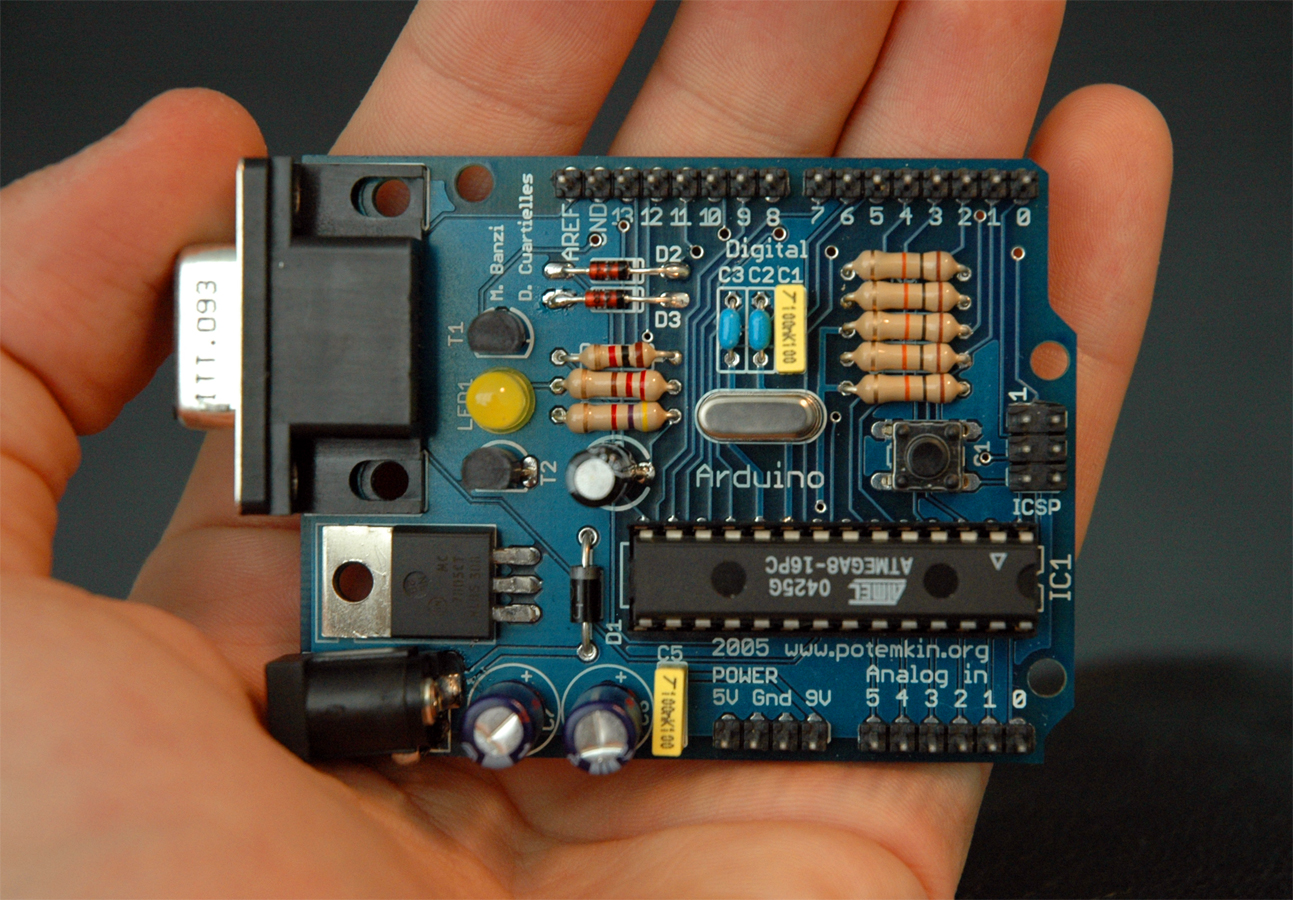
In the previous article I spoke about myself, the Raspberry Pi and gave an introduction of all that could be achieved using my incredibly small size. But at the end of the day, I am basically a computer. An open but mini computer that can do things which other computers also can do. Moreover am not even as powerful as a regular desktop. My size does give me an advantage over the mammoth PC for certain applications. There is more to come as in this edition I am going to introduce you to my counterpart, the Arduino, which was unveiled in 2005 and we will explore all that can happen when we both get together.
Basically, Arduino is a micro-controller. Good at sensing and responding to external changes, it can be programmed using a set of simple instructions, while I myself support extensive instruction set to run with my operating system. What this means is that one can write C, C++, Perl, Python etc… programs and I will run it for my friend here. One will have to write the program on a computer in an IDE, compile the code into machine language and load it into the memory of Arduino and run it. This is because it has no Interpreter, Operating System or a Firmware to run programs.
Doug Jackson wanted to build something for his wife. Being a watch maker, he decided to make a Word Clock, a clock that tells time in words. This was done using the Arduino
Let us look at a few examples that have been made out of Arduino. Doug Jackson wanted to build something for his wife. Being a watch maker, he decided to make a Word Clock, a clock that tells time in words. This was done using the Arduino to convert the current time to signal specific LEDs so that the time is shown in words on the board on to which these LEDs are connected. One can also construct a door opener using mobile. Use mobile to send the signal to the Arduino connected over the network to a message receiving server that would signal the Arduino to drive the motor to open the door. Now that we know that my friend here can drive motors, we can create robots out of it. Using a light-sensor, Joes had created a robot that follows light. Similarly, for heat sensor one can create a robot to follow heat.

Of late there has been a lot of talk about solar energy. One of the problems with the solar panels is that the energy generated by the panels is not constant due to the variation in the intensity of the source energy. There will be a lot of fluctuations in the voltage which is definitely going to harm the storage battery. Using appropriate connections to a Pulse Width Modulation charge controller, Arduino will be able to regulate the power of a predefined range and hence increase the life and efficiency of the device connected to the panels.
Now we know that my friend can do all more of these great things, what’s the connection between the two of us? There is nothing French about this for sure. Even though we both have the same structure of a CPU with timers, memory and IO connections yet there are several subtle differences between us. I am more of a mini laptop with lots of computing capabilities with my OS and hence act more like the brain while Arduino can communicate with lots of devices far more than what I can. It has the physical strength, so to say. Does this give you a perspective on how we can work together?
There are people actually working on bridging us together. Simon Monk connected us using USB connector and helped us know each other better starting with a Hello message. Meanwhile, Omer is working on a new device called Ponte, which acts as a bridge between me and Arduino. Gordon went ahead and wrote a Linux library that can be used to connect from my OS to Arduino with a simple command. For this library Gadgetoid wrote wrappers for Ruby, Python and Perl while Jeroen Kransen created wrappers for Java and Dave Boulton created a TCL wrapper. There have been several such bridging projects like the Pidunino, Alamode and Spark Core to help us both get to know each other better. Probably that is when we became friends.
Once we started communicating, there were loads of projects that we could work on together. Like for example the Tongueduino, devised by MIT researcher Gershon Dublon which is used to give a form of sight to the blind. The user wears a 3X3 pad on the tongue. We both work together to detect the object, convert them to signals sent over the sensor pad and the tongue reads the pattern in the form of tingles. A team at the University of Victoria in British Columbia built a flying quadcopter right from the scratch combining parts that came out directly of a 3D printer.

There are more interesting things like the ArduSat. Two engineers and a physicist launched Arduino-powered satellite into space in September last year. They raised fund on kickstarter, they got almost 3-times their quote. Now there is an open platform allowing people to create their own space-based application that we both can run together with all the space sensors and data. You too can make one if there is a space idea that you can come up with. For sure there already are many such ideas listed and available.
There are many fun apps also. Italian music producer Giuseppe Acito created the Toa Mata Band, which is a group of LEGO Bionicles who play the drums with our help. We convert the musical note to electrical impulse and drive the LEGO band to strike drum pads, xylophone, a Gakken analogue synthesizer, and Nintendo DS. Ben created a tree climbing robot while Googlers Joe Fernandez and J.J. Behrens setup a remotely controllable garden water sprinkler which can also show additional statistics on water consumption. My personal favorite in this category is the recreation of the Dalek robot right out of my favorite Doctor Who series that goes around calling out the famous Dalek dialogue: Exterminate, annihilate, destroy!
Innumerable examples are available on instructables, both of Raspberry Pi and Arduino, in Make: Weekend Projects, in Pinterest and of course this list is not exhaustive.
Remember while I have 26 GPIO (general purpose input/output) pins that can be programmed to do various tasks, the latest Arduino released in October 2012 has 54 digital I/O pins, 12 analog input pins, and two analog output pins. Among those 54 digital I/O pins, 12 provide pulse-width modulation (PWM) output. Pulse-width modulation can be used for driving motors in particular directions and telling them how fast to go. To make me do the same thing one will essentially have to add Arduino. I have larger clock speed and higher memory, while my memory is in megabytes Arduino talks in only kilobytes (1MB = 1024KB). Of course I will be consuming more power when compared to my friend but that is justifiable noting that I do more computing than Arduino. Arduino has all the muscle power in its IO capabilities, which is where it scores. Arduino can communicate directly with many more hardware devices than what I can. IO voltage supported by Arduino is to a maximum of 40mA while I am limited to a range of 5-10mA. Clearly we have our own space of operation and hence, the best among us actually depends on what type of task (project) one is talking about…

So, be it about gesture sensing or about intelligent robots, things that can run devices while deciding when and how to run them, driving intelligent motors, connected home appliances, internet of things and what not, we will be at your service. The best part of arduino is, it is affordable and the hardware is itself open source – opening infinite windows towards innovation by anyone interested in it. Together we can help humanity in a variety of ways. What we lack is a dab of imagination. So if you can imagine us in something we can work on together, we will be all the more happy to join.
One can get Raspberry Pi, Arduino and other required peripherals from Element 14 (formerly Franell).